


Streaming music services have made listening more convenient than ever. Even with a free account, you can access millions of tracks on your phone, computer, smart TV, and other connected devices. However, sometimes you may still want to download music to MP3 player or other portable devices for flexible offline playback. While streaming music services officially set download limits and playback restrictions, you need a third-party to help convert streaming music to MP3.

Among hundreds of so-called best streaming music converters, UkeySoft All-In-One Music Converter stands out as a top choice. This powerful software helps you unlock any music and convert streaming music to MP3 from any major platform for permanent saving or listening. This article will provide a comprehensive review of UkeySoft All-In-One Music Converter, from features and pricing to pros, cons, and real-world performance. Just read on!
What is UkeySoft All-In-One Music Converter?
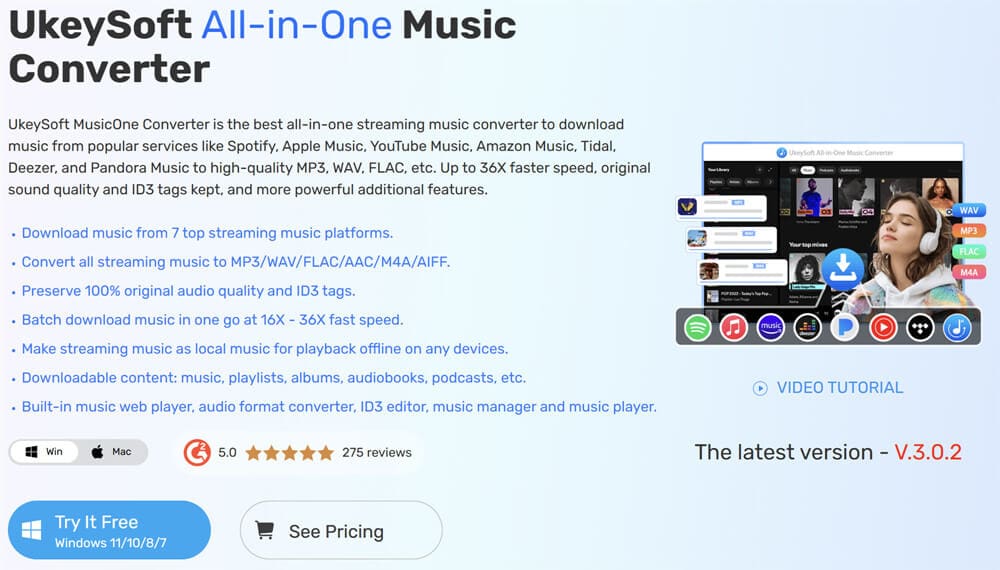
Launched in March 2026, UkeySoft MusicOne Converter is an all-in-one music converter that integrates all seven major music platforms into one program. This tool empowers users to download music tracks, playlists and podcasts from popular music platforms like Apple Music, Spotify, Tidal, Deezer, Amazon Music, YouTube Music, and Pandora Music in high-quality MP3, AAC, WAV or other formats. In addition, it offers up to 16X faster download speed and batch conversion functionality. If you have any of the music account mentioned above, you can use UkeySoft’s music converters to keep your favorite music locally forever.

UkeySoft All-In-One Music Converter Features
This platform is well-known for its advanced downloading capabilities and stable performance. It has seven streaming music converters with the same coding techniques. This ensures all music converters have the same robust functionality and simple operation.
UkeySoft Music Converter Lineup
UkeySoft Apple Music Converter: It helps you download and convert your Apple Music library to AAC, MP3, M4A, FLAC, WAV or AIFF to enjoy offline without the Apple Music app or iTunes, with no restrictions, no DRM protection.
UkeySoft Spotify Music Converter: With this software, you can download Spotify songs, albums, playlists, podcasts, or audiobooks to MP3 320kbps files with a Free account, enjoy ad-free offline listening experience.
UkeySoft Amazon Music Converter: You can use this tool to download your favorite tracks, playlists, albums, or podcasts from Amazon Music Free, Prime Music, or Unlimited Music for offline listening.
UkeySoft Tidal Music Converter: Easily download Tidal music to the computer as MP3 files while preserving original audio quality and metadata. Help you access your favorite Tidal music offline whenever you like.
UkeySoft Deezer Music Converter: It supports to download songs, playlists, podcasts, and radio from Deezer to the local computer with high quality, allowing users to keep their favorite tracks permanently.
UkeySoft Pandora Music Converter: With built-in Pandora web player, users can download songs, playlists, and radio stations to MP3 with Free account, making it easier to enjoy music without internet connectivity.
YouTube Music Converter: Free download any single, album, playlist or music video from YouTube Music to your computer drive in MP3 at 256kbps/320kbps. Remove all the streaming ads, and keep high-quality YouTube music forever locally.
What Makes UkeySoft All-In-One Music Converter Stand Out?
Unlike traditional music downloaders or basic online converters that only support a single platform, UkeySoft All-in-One Music Converter takes an integrated approach. It combines multiple music converters into one unified interface, allowing users to access and download content from music services such as Spotify, Apple Music, Amazon Music, Deezer, and more – all within the same program. This approach preserves original audio quality, retains complete ID3 tags (artist, album, artwork, genre), and operates at speeds up to 16X faster than real-time playback. Now, let’s also go through more features of this tool.
- Download All Streaming Music with/without Subscription Plan
UkeySoft MusicOne Converter can convert music from the most popular streaming services, allowing you to download and convert any streaming music for offline listening. Whether you’re on a free or premium plan, you can easily access and download any streaming audio contents to MP3 and other formats. Even after your subscription or free trial ends, your music downloads remain accessible and playable. Plus, it removes ads during conversion, delivering a smooth, uninterrupted, and ad-free offline listening experience.
- Convert Streaming Music to Multiple Formats Lossless
The software supports a wide range of formats, including: MP3, M4A, FLAC, WAV, AAC, or AIFF, ensuring seamless compatibility with virtually all devices and media players. It also preserves original audio quality across all major streaming platforms, whether it’s Spotify’s 320kbps quality, YouTube Music’s 256kbps sound, Apple Music’s lossless tracks, Amazon Music HD, Tidal or Deezer HiFi, so you can enjoy a premium listening experience.
- ID3 Tag Preservation & Smart Organization
UkeySoft software preserves complete ID3 tags and metadata information, including song title, cover, artist, album, genre, artwork, track number, and release year. This ensures your converted music library remains beautifully organized and searchable in any media player. Additionally, it allows you to organize output file name by ID3 tags, making it much easier for music management.
- Built-in Web Player (No Separate Apps Needed)
Thanks to its built-in web player, users can access to the streaming music platforms directly within the software. You can log in to your streaming music accounts, browse libraries, search for tracks, and add content to the conversion queue – all without switching between applications. Say goodbye to streaming music apps!
- 16X Faster Speed & Batch Conversion
One of UkeySoft’s most impressive features is its conversion speed. Powered by advanced hardware acceleration technology, the software can achieve speeds up to 16X faster than real-time playback. For example, a 4-minute track can be converted in about 5 seconds, while a 50-song playlist can be completed in under 5 minutes. In addition, the batch conversion feature allows you to queue entire albums or playlists simultaneously, saving you much time and effort for building large libraries.
- One-Stop Music Downloader, Converter and Player
UkeySoft All-in-One Music Converter is more than just a music downloader – it combines a versatile format converter, a built-in music player, and an intelligent library manager into one seamless platform. This integrated approach allows users to download, play, and organize their music efficiently without switching between music apps and third-party tools. After conversion, users can directly enjoy the downloaded music and classify output songs into folders by playlist, artist, or album, making it much easier for music management.
Pros and Cons of UkeySoft All-in-One Music Converter
Pros:
Supports 7 major streaming platforms.
High-quality output up to 640kbps and lossless formats.
Fast conversion speed (up to 16X) to save time.
Preserves ID3 tags and metadata.
Allows to customize output parameters freely.
User-friendly interface with built-in web player.
Batch download capability.
Works with free and premium accounts.
All-in-one solution for music downloading and management.
Cons:
Limited function in the free trial version.
Requires installation on desktop, no web version.
It it not available on mobile devices.
How to Use UkeySoft All-In-One Music Converter?
UkeySoft All-In-One Music Converter has a simple and clean interface without any pop-up ads or bundled software. If you are a Spotify Free user and want to download Spotify music without Premium, you can follow this guide.
Step 1. Launch UkeySoft MusicOne Converter and Select a Platform
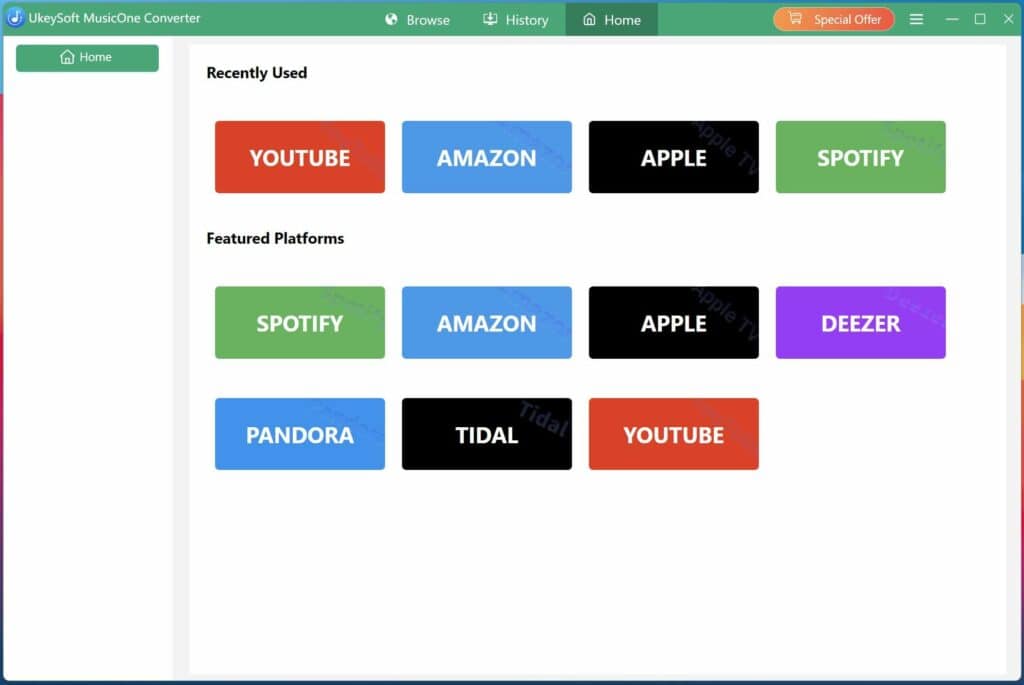
Download, install and launch the UkeySoft All-In-One Music Converter on your PC/Mac. Here, we take download Spotify songs to MP3 as example, you can follow the same steps to download and convert music from other streaming service. To download Spotify music for free, please select “Spotify” service from the home page.

Step 2. Log into Your Music Account
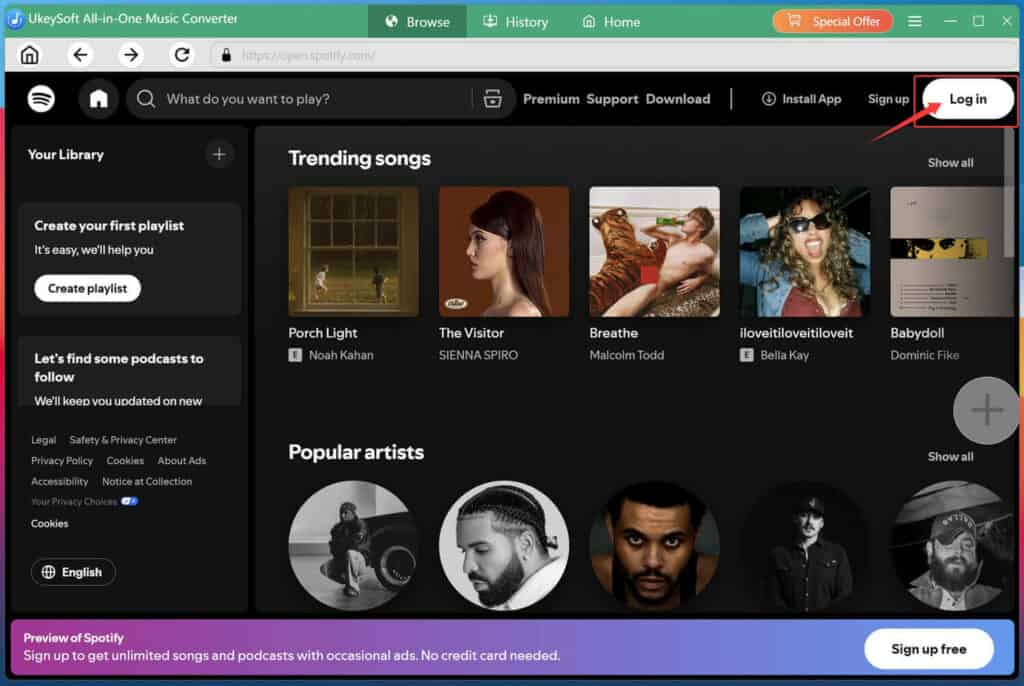
The software will boot it’s built-in web music player, please click “Log In” option and sign in with your Spotify free or premium account.

Step 3. Define Output Settings
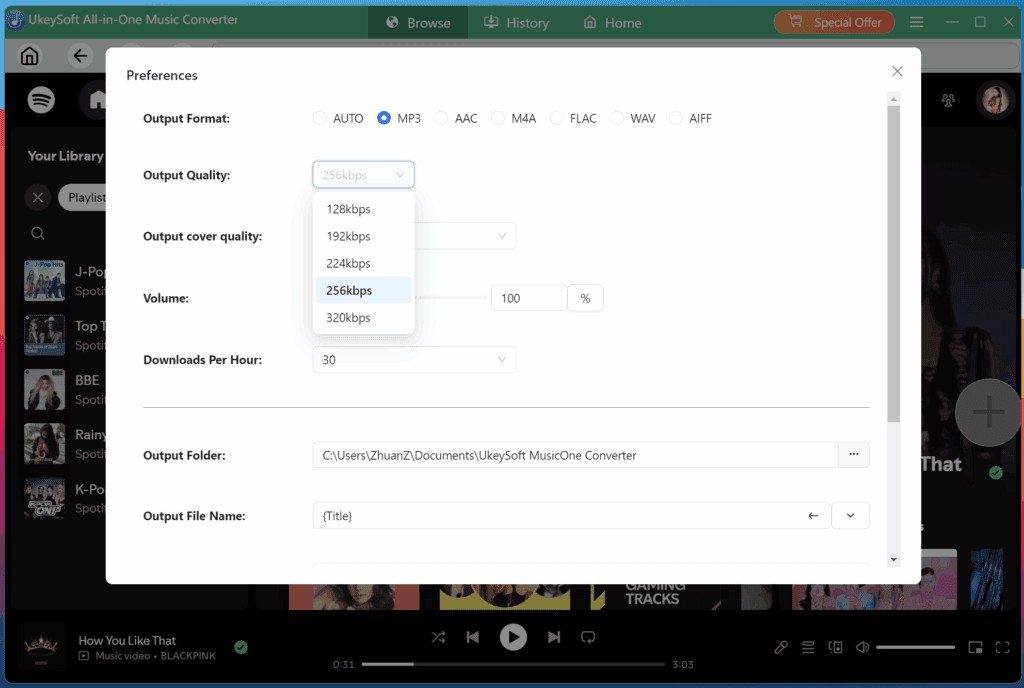
Move to the “Menu” and choose “Preferences” option. In the pop-up window, set your preferred Output Format (AUTO, MP3, AAC, M4A, FLAC, WAV, AFF), Output Quality (up to 640kbps), Output cover quality (up to HD), and Output Folder, and Output File Name.

Step 4. Add and Select Songs to Download
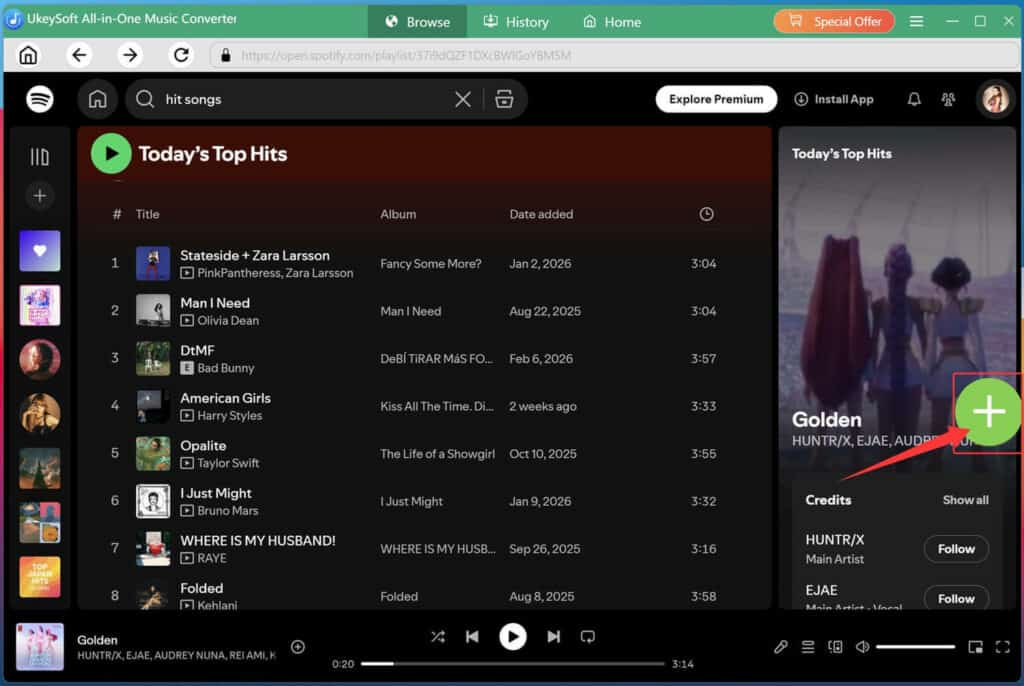
Browse or search for the songs, albums, podcasts or playlists you want to download. Select any song or playlist, click “+” icon to add it into the conversion queue.
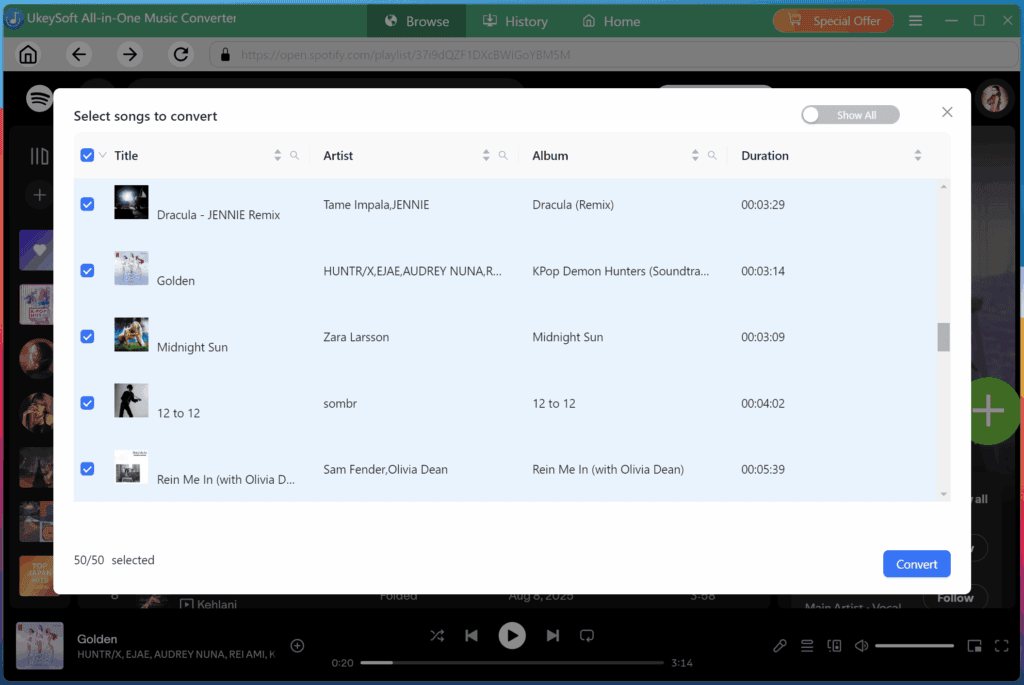
All songs in the playlist are selected by default, uncheck any you don’t want to convert.
Step 5. Start Music Conversion
Click the “Convert” button to begin downloading and converting your select Spotify music tracks. During the conversion, remember not to use the official Spotify app or web player.
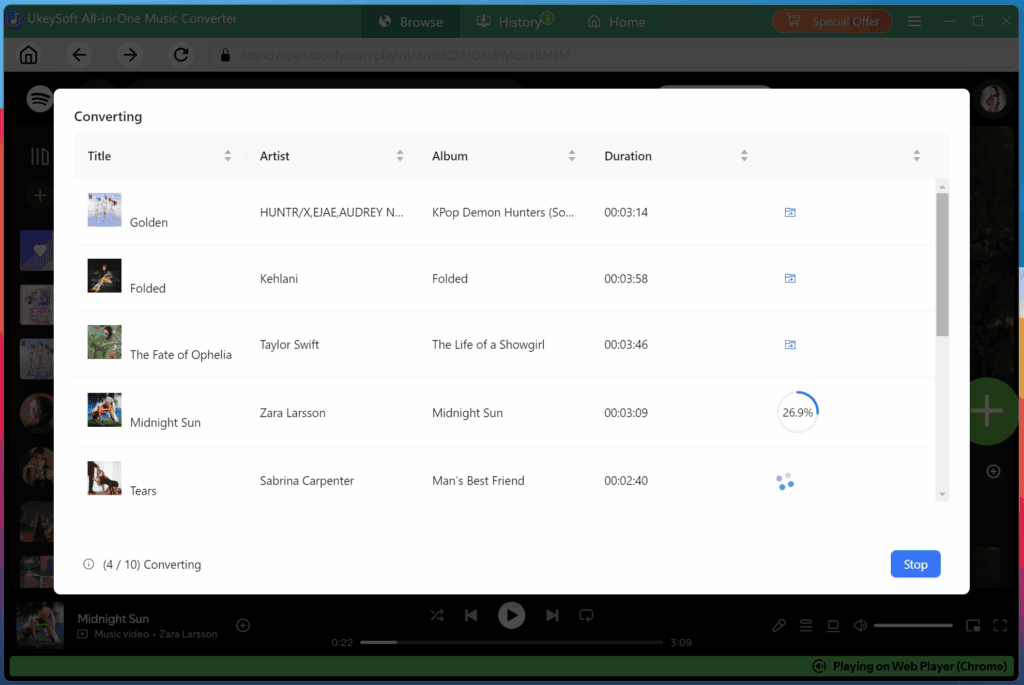
Step 6. Get Output MP3 Tracks
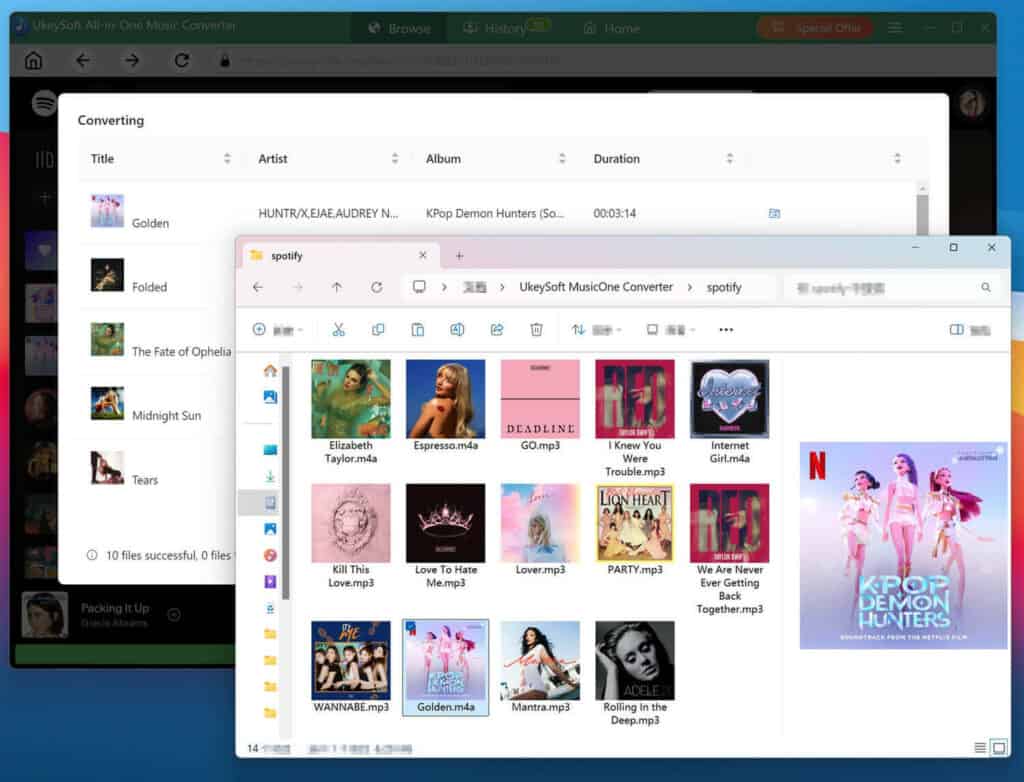
Once complete, turn to the “History” section to view your converted music tracks. You can play these music tracks directly. Or, click the folder icon next to any track to open the output folder on your computer.

System Requirements
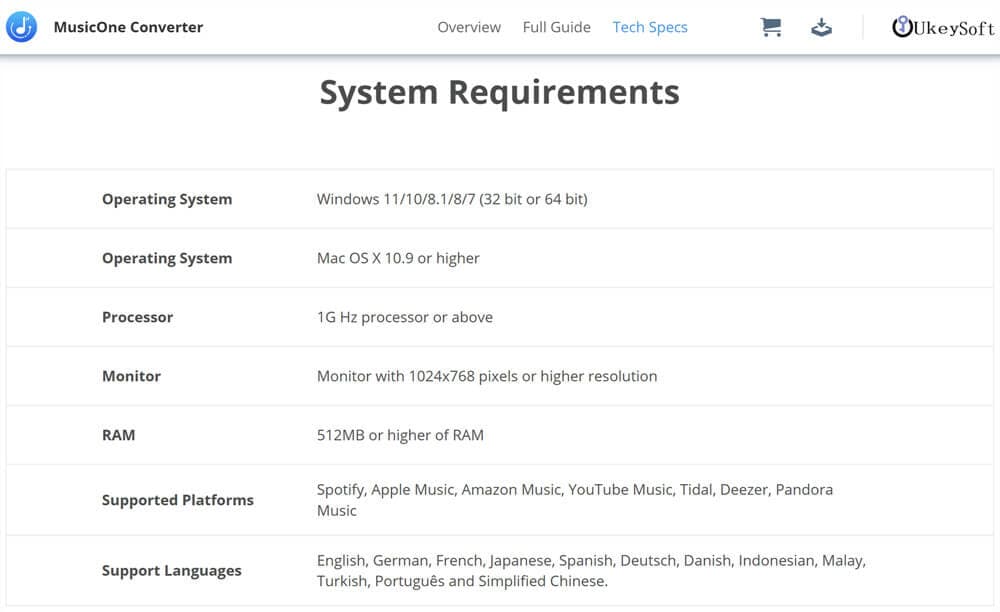
UkeySoft MusicOne Converter is 100% safe to use. It does not retain or use any of your account or personal information. Before getting started with this program, please check the system requirements of the software and see whether your devices are compatible with it:
Windows OS
System: Windows 11/10/8.1/8/7 (32-bit & 64-bit)
CPU: Intel Core i3 or higher; AMD Athlon or faster
Hard Disk Space: 20GB or above free space
RAM: 512MB or more RAM
Mac OS
System: Mac OS X 10.9 and above
CPU: Core 2 Quad or higher
Hard Disk Space: 20GB or above free space
RAM: 512MB or more RAM
Supported Platforms: Spotify, Apple Music, Amazon Music, YouTube Music, Tidal, Deezer, Pandora Music
Support Languages: English, German, French, Japanese, Spanish, Deutsch, Danish, Indonesian, Malay, Turkish, Português, Traditional Chinese and Simplified Chinese.

Pricing of UkeySoft All-In-One Music Converter
UkeySoft offers flexible pricing plans to its All-In-One Music Converter and Single Music Converter. Additionally, it also provides a 30-day free trial to new users before purchasing. The free trial lets you convert the first three minute of each track. If you’re satisfied with the product, you can upgrade to a full version.
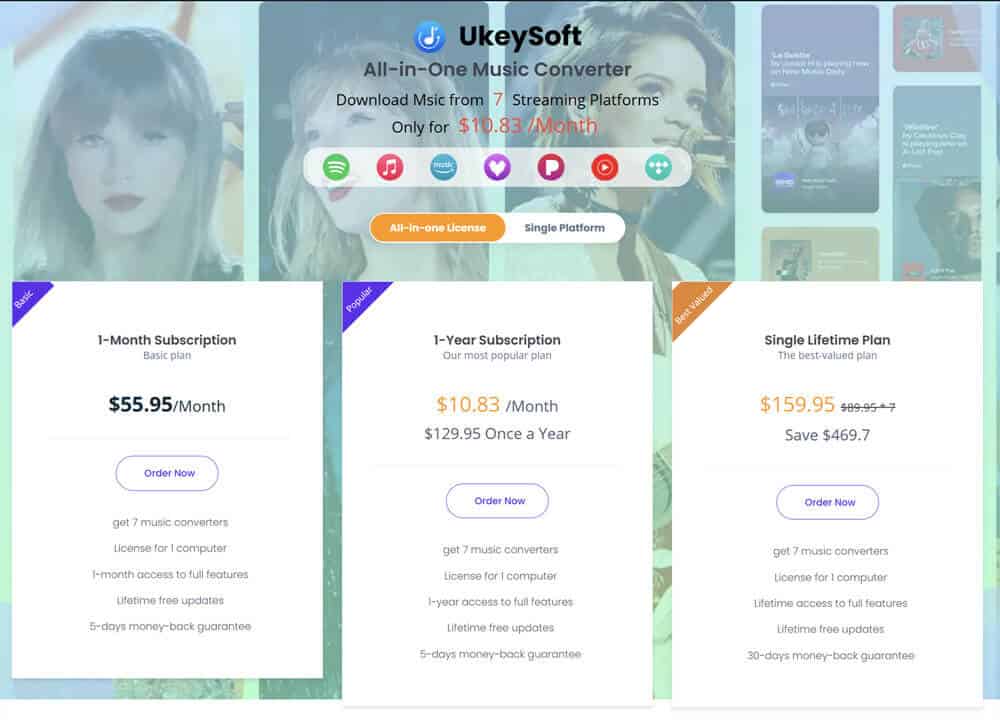

- All-In-One Music Converter Price (Access Full Download Features to 7 Platforms):
1-Month Subscription: US$55.95 for 1 PC/Mac
1-Year Subscription: US$99.95 for 1 PC/Mac
Single Lifetime License: US$159.95 for 1 PC/Mac
- Single Music Converter Price (Access Full Download Features in One Platform):
1-Month Subscription: US$14.95 for 1 PC/Mac
1-Year Subscription: US$59.95 for 1 PC/Mac
Single Lifetime License: US$89.95 for 1 PC/Mac
All paid plans include a 5-day money-back guarantee (30 days for lifetime plan), giving you peace of mind when purchasing. UkeySoft also provides free technical support and free software updates to enhance user experience.
Final Verdict
Overall, UkeySoft All-In-One Music Converter is a practical tool for music lovers, especially for those who subscribe to multiple streaming platforms. Its secure interface, stable performance, 16X speed, lossless quality, and comprehensive platform support make it a powerful solution for building a personal music collection. With UkeySoft, you can download high-quality MP3 music from streaming music platforms with an ad-supported plan. You can transfer the downloaded music to your MP3 player, smartphone, USB disk, or car player and enjoy ultimate smooth offline playback, even if your subscription ends.