Summary: In this review, we’ll explore iMovieTool All-in-One Video Downloader, including its main features, performance, ease of use, pricing, and a step-by-step guide. We’ll also look at its pros and cons to help you better understand what it offers and how it works in real use.
Streaming platforms like Netflix, Disney+, and Amazon Prime have made it easier than ever to watch movies and TV shows online. But many users still deal with issues like poor internet connection, limited offline options, and device restrictions. However, many movie lovers want to download movies from Netflix, Amazon Prime Video, Disney Plus, etc. for viewing offline. To download streaming video to computer, it’s necessary to use a third-party professional streaming video downloader.
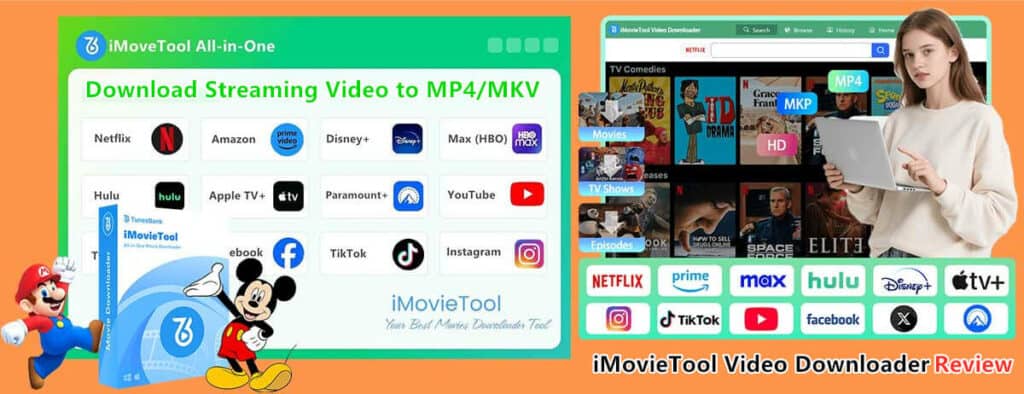
There are many free or paid streaming video downloader on the internet, we have tested lots of video downloader for Netflix and other streaming services, finally, we’ve picked up one of the best all-in-one streaming video downloader for movie lovers.
iMovieTool Video Downloader is the best streaming video downloader that supports to download movies/shows to computer, and convert videos to MP4/MKV in 1080P. To help users understand the product more clearly and use it more easily. In this article, we will deep review iMovieTool All-in-One Video Downloader, including its key features, performance, ease of use, pricing, and how to use it step by step. By the end, you’ll know if it’s a good choice for watching videos offline.
Content
- What is iMovieTool All-in-One Video Downloader
- Key Features of iMovieTool All-in-One Video Downloader
- Who Needs to Use iMovieTool?
- How to Use iMovieTool All-in-One Video Downloader
- Performance and User Experience
- Pricing and Free Trial
- Pros & Cons of iMovieTool All-in-One Video Downloader
- Final Verdict
What is iMovieTool All-in-One Video Downloader
iMovieTool All-in-One Video Downloader is a desktop software that allows users to directly download movies and TV shows from all streaming platforms to your computer. It is designed as an All-in-One solution, meaning you don’t need separate tools for different services. The tool supports to download Netflix videos to computer, and save them as local MP4 or MKV format in 1080P/720P. iMovieTool Video Downloader also supports to download videos from a wide range of platforms, including Amazon Prime Video, Disney+, Hulu, Apple TV+, YouTube, Paramount+, HBO Max, Hulu, and more. One of its key highlights is the built-in browser, which allows users to search, access, and download videos directly inside the program without switching between apps.
Key Features of iMovieTool All-in-One Video Downloader
12 OTT Platform and Social Media Sites Support
iMovieTool works with many popular streaming services in one place. It also now supports more platforms, including OTT sites such as Netflix, Amazon Prime, Disney+, HBO Max, Hulu, Paramount Plus, Apple TV+, and social media sites like Facebook, Instagram, and TikTok. This makes it easy to download videos from different platforms without using multiple tools.
Download Streaming Videos to MP4 or MKV Format
The software lets you save videos in common formats like MP4 and MKV. These formats work on most devices, such as phones, tablets, smart TVs, and media players. They also make it easy to transfer and watch videos offline without limitations.
High-Quality Video Output (1080P, 4K Quality)
iMovieTool lets you download videos in HD quality, up to 1080p and even 4k high video quality. It also gives you options like H.264 and H.265 to balance video quality and file size. Plus, it can keep multiple audio languages and subtitles, which is helpful for watching international content.
Batch Download Capability
Another helpful feature is batch downloading. You can add multiple videos or even full TV series to download at the same time. This saves time, especially if you want to download whole seasons at once.
Built-in Browser and Smart Search Feature
The built-in browser makes downloading very simple. You can search for videos by title or just paste the video link, and the software will automatically find the content and get it ready to download. This means you don’t need any complicated steps or technical skills.
Customizable Settings
iMovieTool gives you flexible settings, such as choosing video quality, audio language, subtitle type (embedded or external), and where to save your files. These options let you customize downloads to match your needs.
Multi-language Interface
iMovieTool supports many languages, so people from different countries can use it easily. Its simple and localized interface helps users understand the features and navigate the tool without any language problems.
Who Needs to Use iMovieTool?
iMovieTool Video Downloader is designed for anyone who wants to watch movies or TV shows without a continuous, high-speed internet connection. iMovieTool is special designed for streaming video subscribers, such as Netflix, Amazon Prime, Disney+, Apple TV+, Paramount+, HBO Max and Hulu. While most users are able to stream video directly, downloading is essential for specific situations:
- People who want to watch videos offline without internet access
- Travelers or commuters with limited or unstable internet connection
- Users who prefer saving videos locally for flexible playback anytime
- People who manage content from multiple streaming platforms in one place
- Individuals living in areas with “spotty” or slow internet access that makes smooth streaming difficult.
- Those using public transit (like subways) who experience frequent signal drops.
- People on airplanes, long car rides, or trains where Wi-Fi is either unavailable, expensive, or unreliable.
How to Use iMovieTool All-in-One Video Downloader
Step 1. Install and Launch iMovieTool on Computer
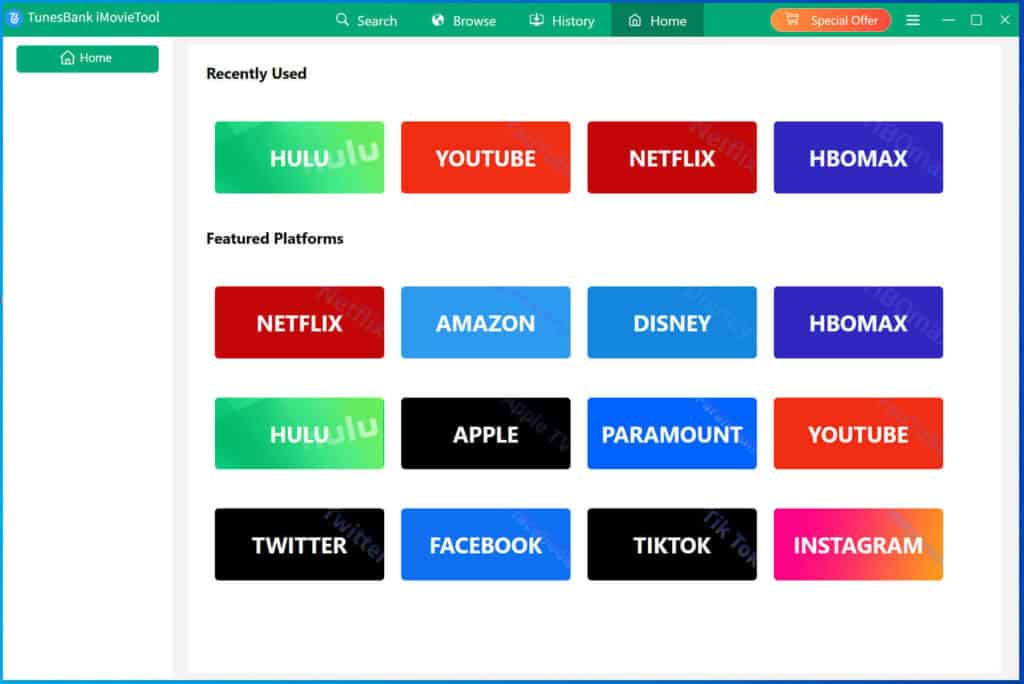
Download, install and run iMovieTool on your Windows or Mac computer. To download movies/shows to computer for offline watching, please select the platform you want to download from, such as Netflix, Amazon Prime, Disney+, etc. Here, taking download Netflix videos as example, please select “Netflix” service.
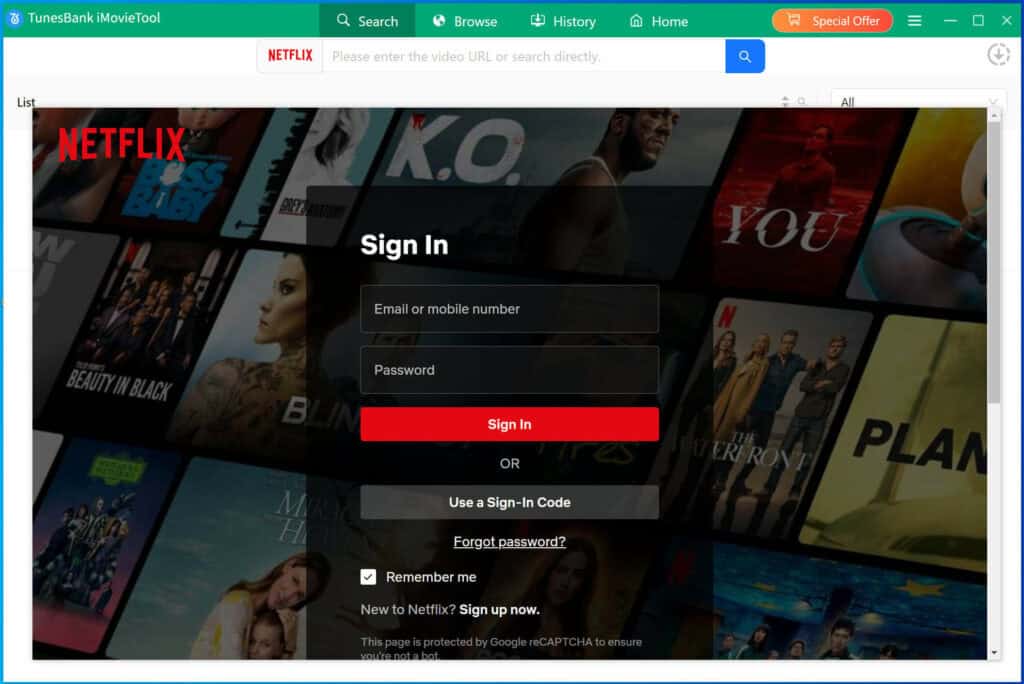
Step 2. Login Netflix Account
Then, please log in to your Netflix account within the built-in browser.
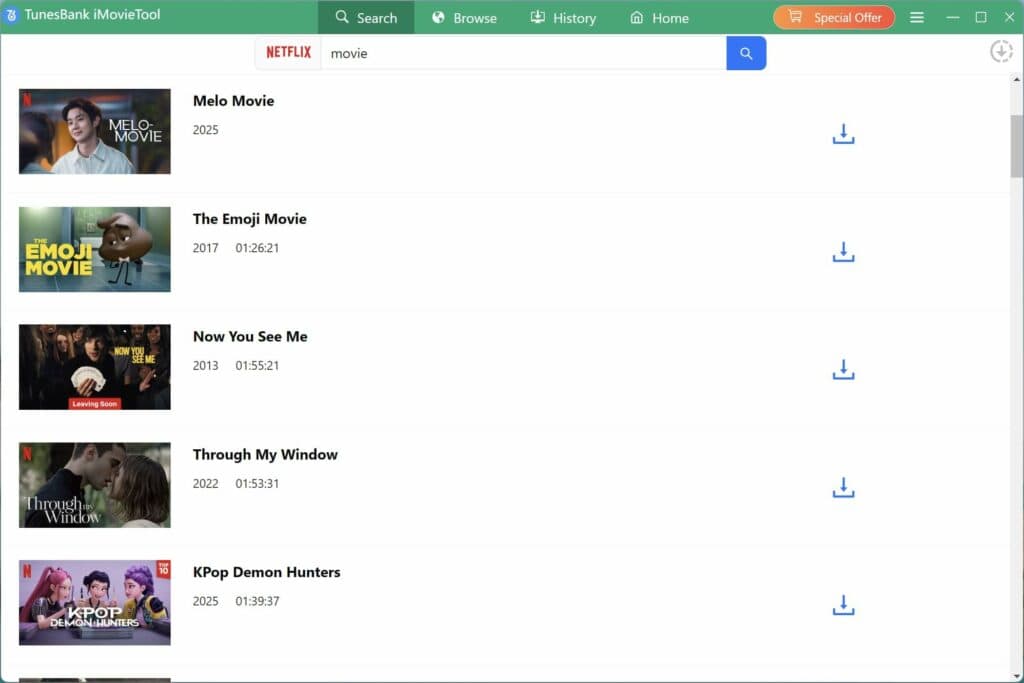
Step 3. Search for Videos
You can search for your desired movie or TV show by typing its name or pasting the video link.
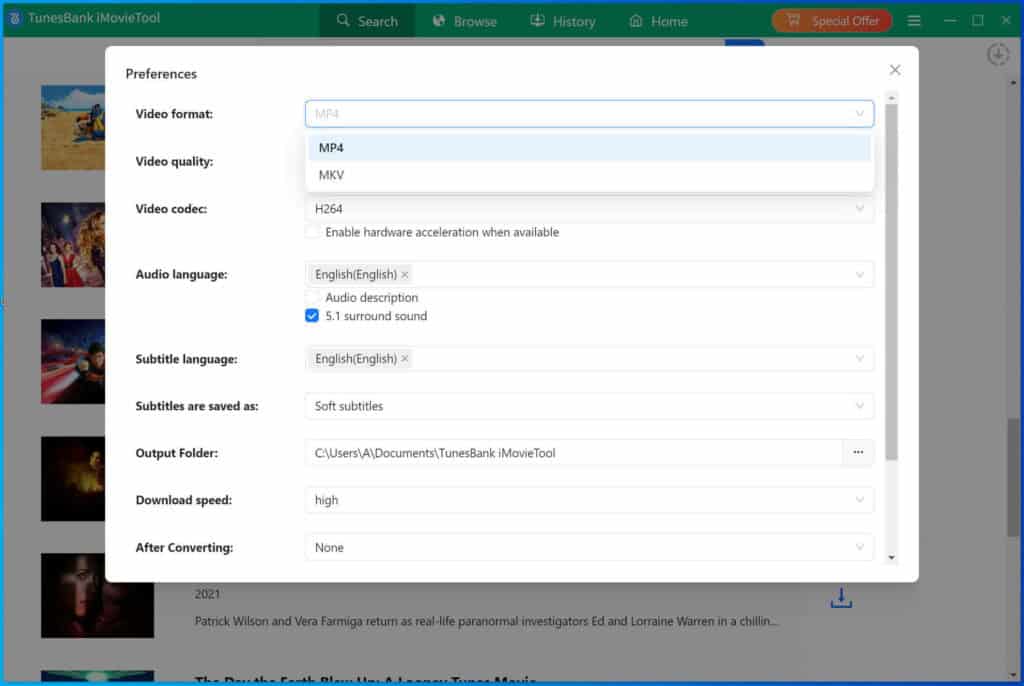
Step 4. Adjust Output Settings
Click the settings icon to choose format (MP4 or MKV), video quality, subtitles, and audio preferences.
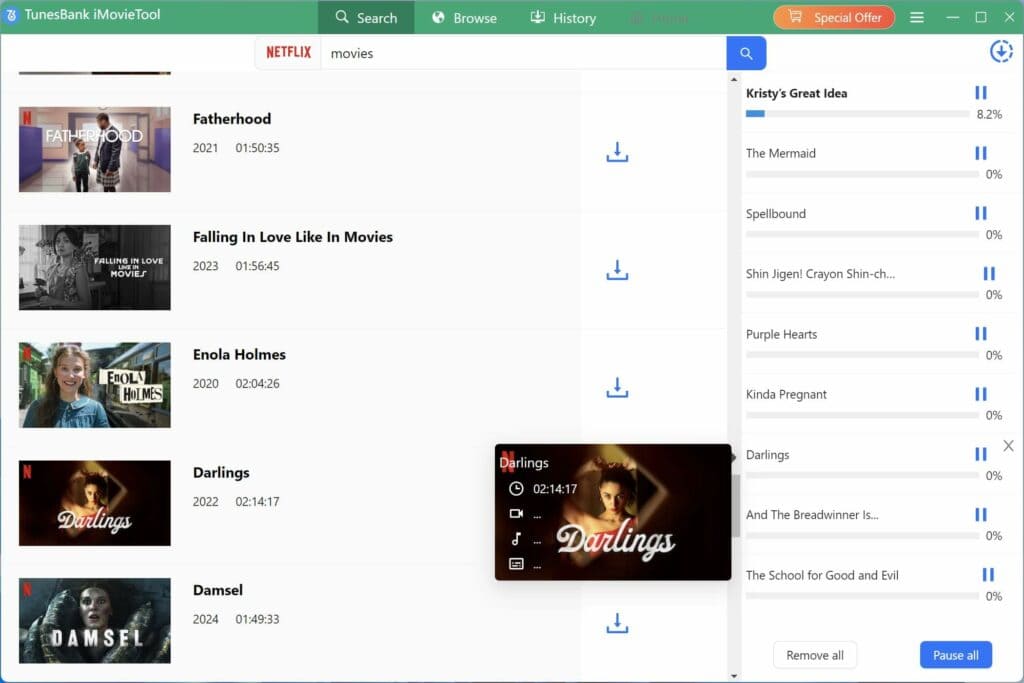
Step 5. Download Netflix Movies/Shows to Computer
Click the “Download” button. The software will begin downloading the selected content to your computer.
Step 6. View the Downloaded Videos
Once completed, you can find the videos in the output folder and play them offline on any device.
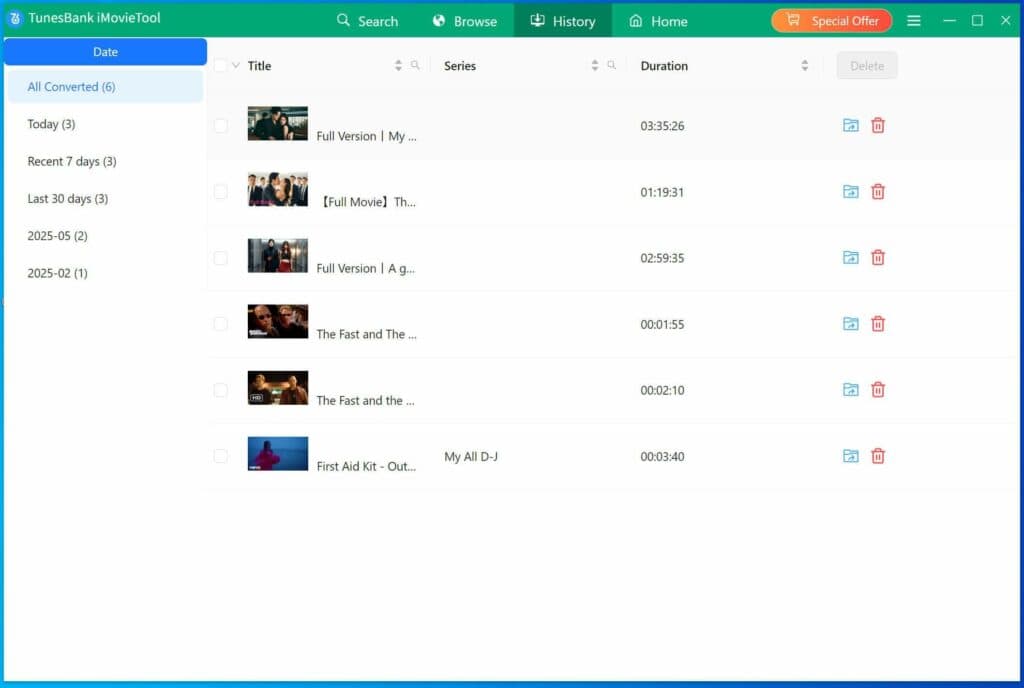
Now, you can play those downloaded movies/shows offline on computer, and even transfer them to your MP4 player, USB drive, SD card, smart TV, smartphone for playing anywhere and anytime, no need to install the official streaming video apps. With the help of iMovieTool Video Downloader, you also can download videos from YouTube, Facebook, Twitter, TikTok, Instagram, etc.
Performance and User Experience
iMovieTool is an specialized video downloader primarily designed to save content from streaming platforms like Netflix and Amazon Prime. While it offers a streamlined way to store movies and shows locally, its performance and user experience are marked by specific powerful streaming video download functional.
Performance Breakdown
Conversion Speed: Users generally experience consistent download speeds, but the process is not instantaneous; it requires waiting for the “entire download process” to finish before outputting standard MP4 files.
Reliability: Like many third-party tools, performance is dependent on regular updates. If the software is outdated, it may fail to parse links or download content correctly. So, you need to update the software to the latest version before using.
Resolution and Format: It supports high-quality 4K and HD downloads. However, some users have reported that high-resolution MP4s (particularly 4K) may sometimes fail to generate a preview in macOS Finder. But, this program supports 1080P/720P resolution output at least.
| User Interface
| The interface is clean and easy to use, with simple options that are clearly labeled. Even beginners can quickly understand how it works.
|
| Download Speed
| The download speed is fast and depends on your internet connection. Updates have also made it more efficient and reliable.
|
| Stability | The software runs smoothly during downloads. It can handle multiple downloads at the same time without major problems.
|
Pricing and Free Trial
If you’re new to iMovieTool All-in-One Video Downloader, you can try the free trial before deciding to purchase the full version and confirm whether it is the one you need. As for the free trial, there is a limitation that you can only download the first 6 minutes of a movie/TV show. If you’re satisfied with the download service, you can purchase a subscription to save the full videos. iMovieTool offers both a free trial and paid plans.
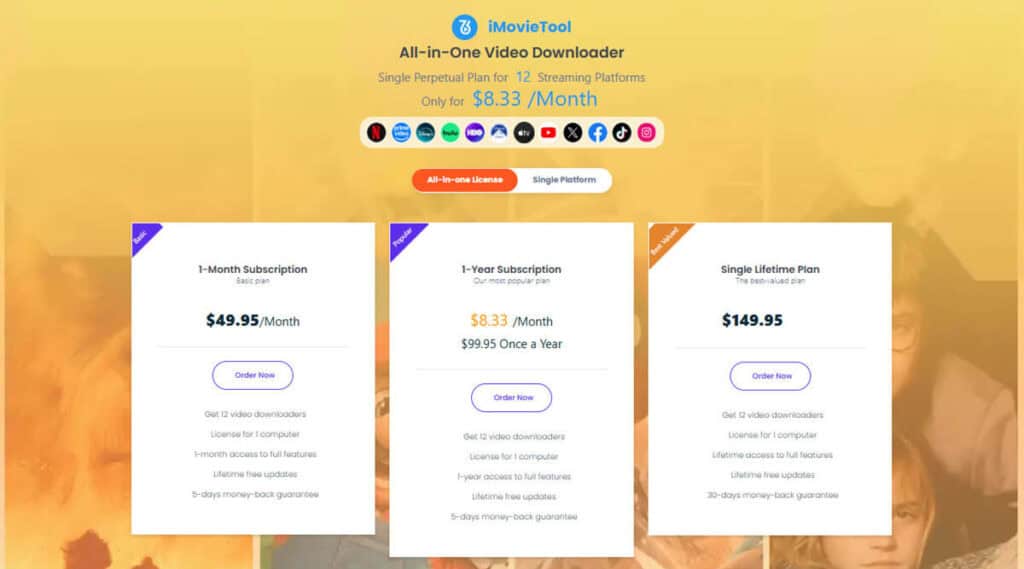
- All-In-One Music Converter Price (Access Full Download Features to 12 Platforms):
Monthly Plan: Around $49.95/month
Annual Plan: Around $99.95/year
Lifetime Plan: Around $149.95 (one-time payment)
- Single Video Downloader Price (Access Full Download Features in One Platform):
1-Month Subscription: US$29.95 for 1 PC/Mac
1-Year Subscription: US$59.95 for 1 PC/Mac
Single Lifetime License: US$89.95 for 1 PC/Mac
- Free Trial: Limited to downloading only the first 6 minutes of each video
The free trial is useful for testing the software, but a paid plan is required for full downloads.
Pros & Cons of iMovieTool All-in-One Video Downloader
Pros
Supports multiple streaming platforms
Easy-to-use interface with built-in browser
Downloads videos in MP4/MKV formats
High-quality output up to HD 1080P/720P quality
Batch downloading supported
50X faster downloading speed
Flexible customization options
Cons
Free trial has limited download length
Only available on Windows & Mac
Final Verdict
iMovieTool All-in-One Video Downloader is a powerful and easy-to-use tool for saving streaming videos for offline viewing. It supports many platforms and offers flexible settings, making it suitable for both beginners and experienced users.
Although the free trial has some limits, the full version unlocks all features and provides a better experience for frequent users. Overall, if you want a reliable all-in-one video downloader with smooth performance and simple operation, iMovieTool is worth trying.